Code graph
The code graph is a SQLite database — .code-graph/graph.db — that holds your repository’s structural relationships. Definitions, calls, imports, file → file edges, language metadata. Your AI agent queries it through MCP tools instead of re-grepping for every question.
What’s in the graph
Two tables, in plain SQL:
CREATE TABLE nodes (
  id          INTEGER PRIMARY KEY,
  name        TEXT NOT NULL,
  kind        TEXT NOT NULL,   -- 'function', 'class', 'method', 'file', 'module'
  file_path   TEXT NOT NULL,
  line        INTEGER,
  language    TEXT
);

CREATE TABLE edges (
  src_id      INTEGER NOT NULL REFERENCES nodes(id),
  dst_id      INTEGER NOT NULL REFERENCES nodes(id),
  kind        TEXT NOT NULL,   -- 'calls', 'imports', 'defines', 'inherits'
  PRIMARY KEY (src_id, dst_id, kind)
);
You can query it directly with sqlite3 if you want. The MCP server is just a typed convenience layer.
Languages
Tree-sitter parsers for: Python, TypeScript, JavaScript, Go, Rust, Java, C#, Ruby, and more. Languages without a tree-sitter package fall back to regex parsers automatically — coverage is degraded but the build doesn’t fail.
Full list: see .github/code-graph/requirements.txt.
MCP tools
The MCP server exposes the following queries to your agent:
| Tool | Purpose |
|---|---|
get_minimal_context(task) | Returns 4–6 relevant files for a task description. Default first call before any read_file. |
query_graph(kind, target) | Generic graph query: callers_of, callees_of, imports_of, etc. |
get_impact_radius(symbol) | Files that would be affected by changing a definition. |
get_review_context(diff) | For review tasks: files referenced by a diff plus their immediate neighbors. |
find_large_functions(threshold) | Functions over N lines — debt-finder. |
detect_changes() | Files whose SHA-1 changed since last graph update. |
update_graph() | Incremental re-parse of changed files. |
build_graph() | Full rebuild from scratch. |
graph_stats() | Node + edge counts, last-update time, file count by language. |
visualize_graph() | Renders an interactive HTML graph at .code-graph/graph.html. |
Visualize
uv run --with-requirements .github/code-graph/requirements.txt \
  .github/code-graph/server.py --visualize
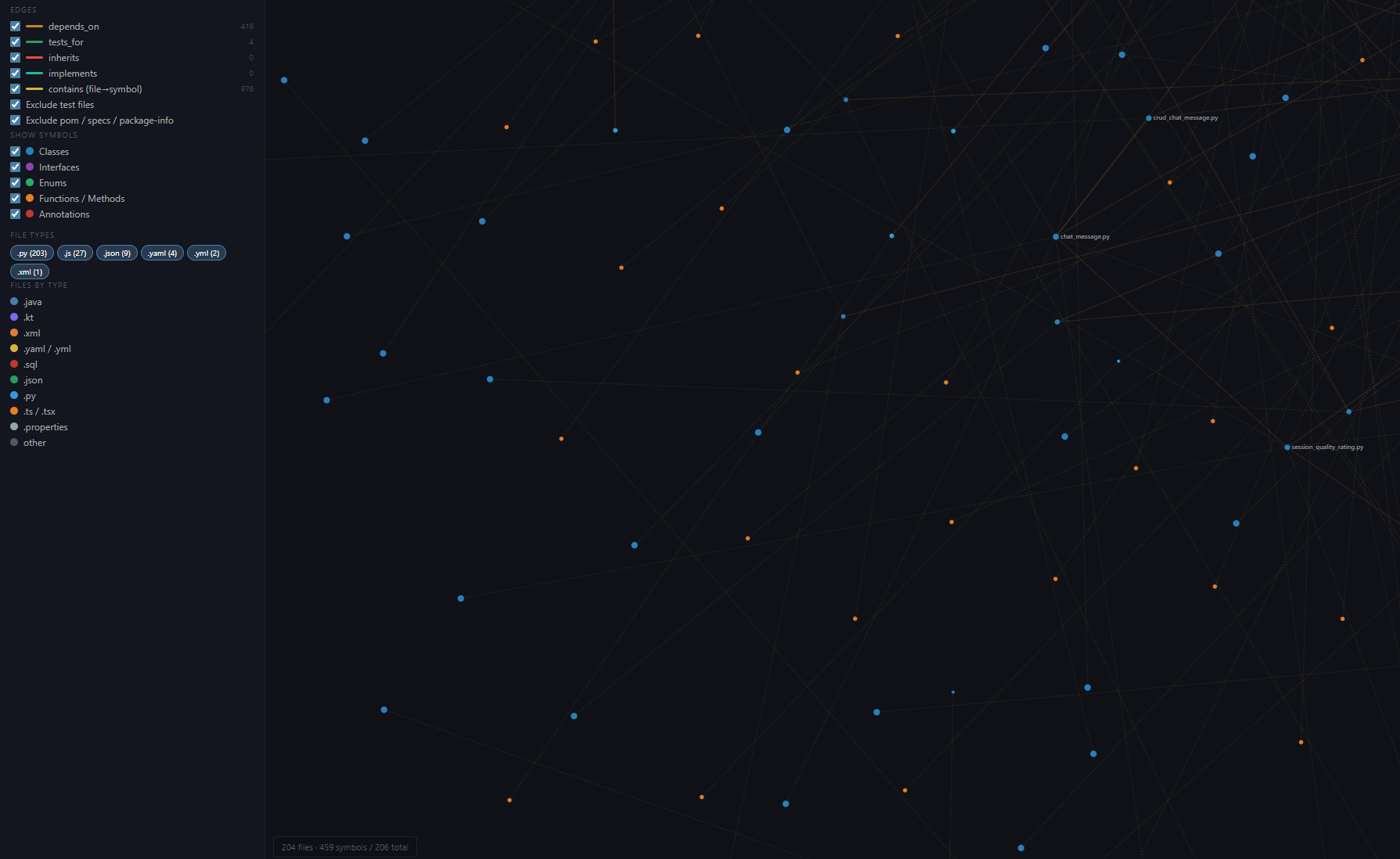
Outputs .code-graph/graph.html — a standalone D3 force-directed view (no server needed). Open in any browser. Drag nodes, hover for symbol details, filter by language or kind. Useful for sanity-checking a fresh build, spotting orphan modules, and showing teammates what the agent actually sees.
Why SQLite
- Zero-dependency for queries. Anyone with
sqlite3installed can poke at the graph without booting the MCP server. - Cheap. A graph for a 50k-line codebase is typically a few MB.
- Stable across machines. A teammate can rebuild the graph from the same commit and get the same database — fixture-style reproducibility.
Direct SQL
If MCP isn’t available, the database is just a file:
sqlite3 .code-graph/graph.db "
  SELECT n2.file_path, n2.line, n2.name
  FROM edges e
  JOIN nodes n1 ON e.src_id = n1.id
  JOIN nodes n2 ON e.dst_id = n2.id
  WHERE n1.name = 'OrderService' AND e.kind = 'calls'
"
This is the documented fallback when the MCP server isn’t registered. Agents in Coograph projects know to try MCP first, then fall back to sqlite3, then — only if both fail — to grep.
Auto-update
The git hooks in .github/code-graph/ (post-commit, post-merge, post-rewrite) call --update after every change. Only files whose content SHA-1 changed are re-parsed. Files that import from changed files are also re-parsed so cross-file edges stay accurate.
Limits
- The graph captures structural relationships, not semantic ones. It knows that
place_ordercallsvalidate; it doesn’t know that adding caching will affect downstream billing. - Coverage depends on tree-sitter availability for your language. Fallback regex parsers work for symbol-finding but miss some edges (e.g. dynamic dispatch).
- The graph is rebuilt on a per-file basis. If you commit a thousand-file refactor, the incremental update is O(thousand-file).