The Agent in Your Team Chat Spends the One Budget You Can't Raise
DeepSeek's Super-Agent prototype listens to GitHub and team chat and acts on its own. Before agents like this join your channels, decide when they may act, because the cost is your team's attention.
On November 1, DeepSeek published the code for a coding agent that does not wait to be asked. The Super-Agent prototype works on a single GitHub repository, can listen to a team’s Feishu chat, and, according to Bloomberg’s reporting, can spot coding problems in group conversations and suggest fixes without being summoned. When an approved person asks for work, it opens a task in its own session and answers in the original thread, often with a pull request.
DeepSeek is careful to call it a research prototype and “not an official DeepSeek product.” The interesting part is the design brief. The project README states one guiding principle: “take as little human attention as possible, and give as much value as possible.”
That sentence is the right frame for any founder or engineering lead deciding how far to let agents into the team’s workflow. Tokens have a price you can see on an invoice. Attention has no line item, and a team-wide agent spends it from everyone at once.
From tool you call to colleague who interrupts
Every coding agent most teams use today is pull-based. An engineer opens a session, describes a task, and reviews what comes back. The engineer chose to spend attention at that moment, on that task.
A proactive agent flips that. It watches the channels where work is discussed and decides for itself when something is worth saying. Each message it posts costs a few minutes from whoever reads it, whether or not the suggestion was useful. A wrong suggestion costs extra, because someone has to explain why it is wrong before the thread can move on.
DeepSeek’s answer is a restriction: the agent “acts only when asked or when a rule the team wrote allows it,” and a web panel “shows what needs a person.” That is a sensible default. It also hands the hard part to you, because someone on your team has to write those rules.
More agents in the room makes it harder
The obvious next step is several agents, one per repo or one per function, all listening in the same channels. The research says to slow down.
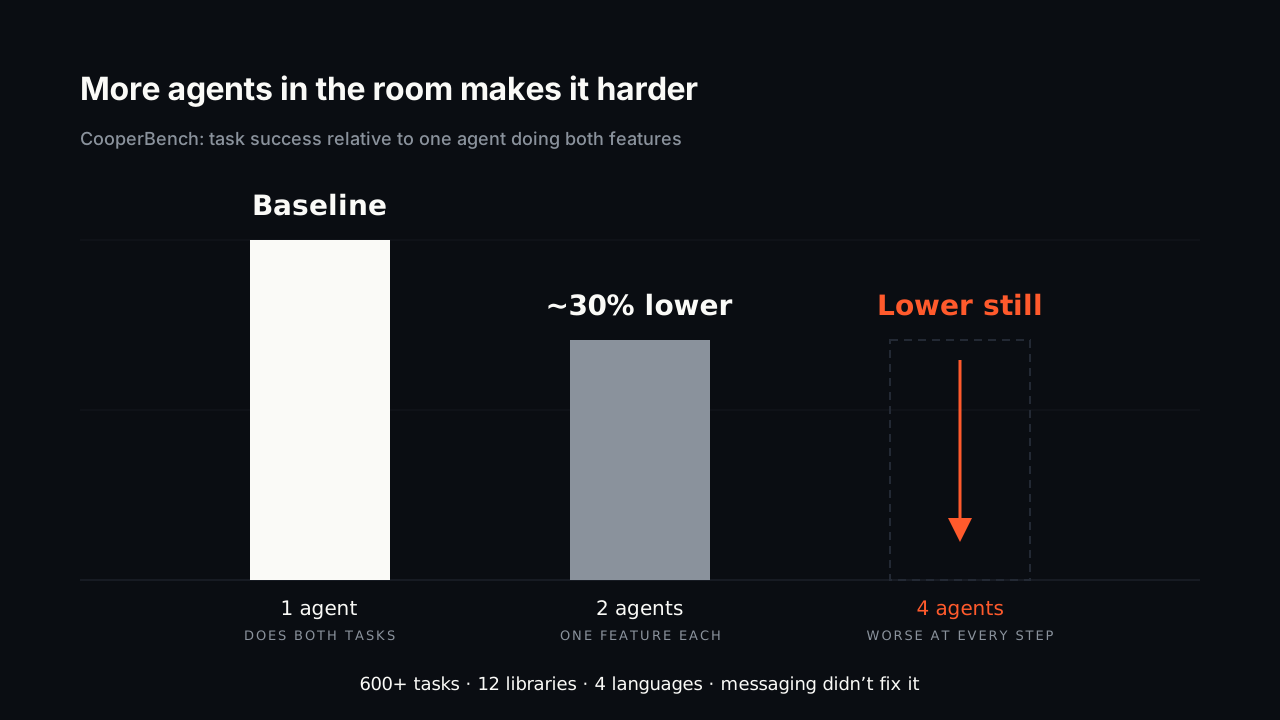
CooperBench, published in January, gave pairs of coding agents separate features to build in the same codebase. The features could be built independently but would conflict without coordination. Across more than 600 tasks in 12 libraries and four languages, agents working together succeeded about 30% less often than a single agent doing both tasks. Going from two agents to four made it worse at every step. Letting the agents message each other cut down on basic merge conflicts but did not meaningfully improve success.
Put three proactive agents in one channel and you get a coordination problem the agents cannot yet solve among themselves. The humans in the channel end up doing the coordinating.
Four rules to write before an agent joins the channel
Proactive agents can be worth having. Decide in writing how much attention they are allowed to spend. These are the rules we use in Coograph, and they apply whether or not you use our tooling.
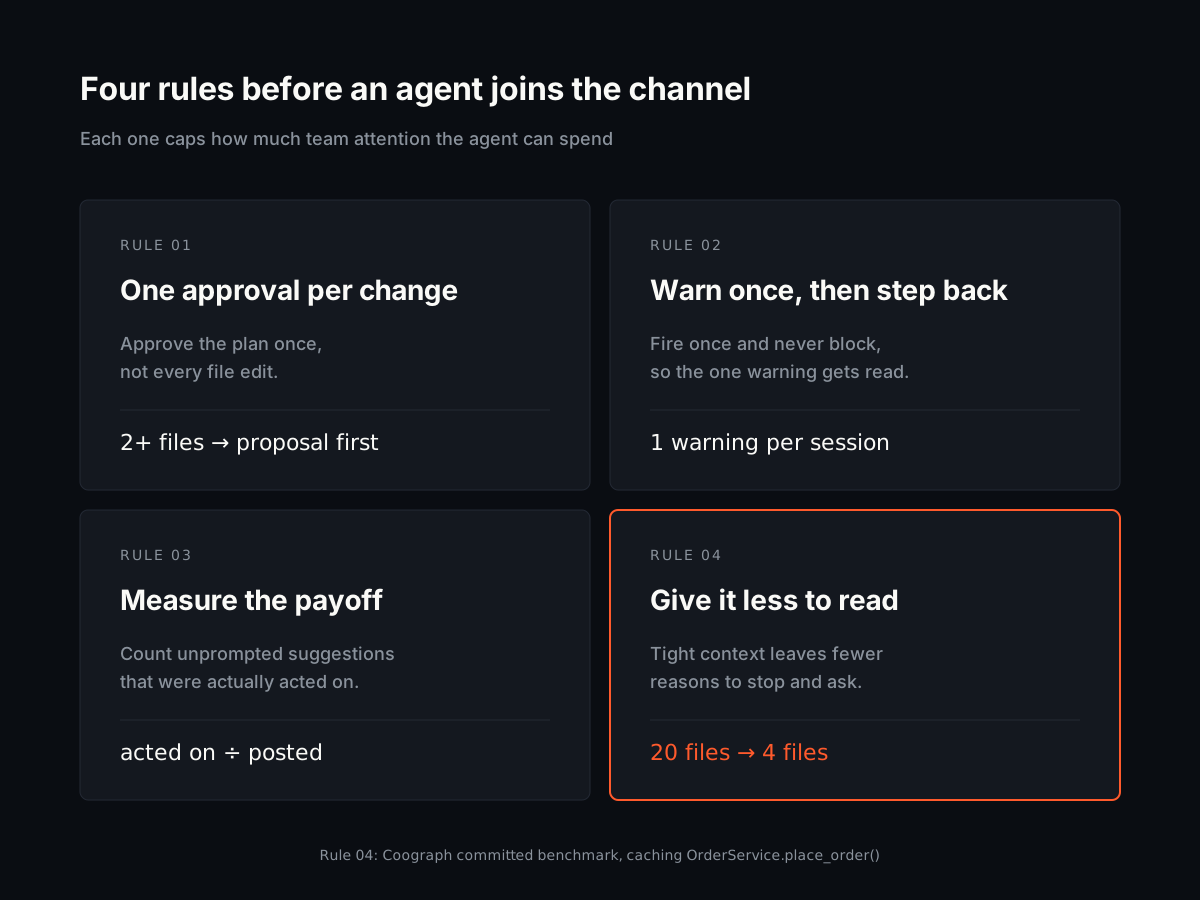
1. One approval per change, not one per action
An agent that asks permission for every file edit trains people to click “yes” without reading. An agent that never asks will eventually rewrite something nobody wanted touched.
The middle ground is approving the plan. Coograph’s OpenSpec gate requires a one-page proposal before any change that touches two or more files, alters a public interface, or adds behaviour. A person reads it once, edits or approves it, and the agent works against it. That is one deliberate decision per change, made while correcting course costs a sentence.
2. Warn once, then get out of the way
If a guardrail fires on every tool call, people stop reading it within a day. Coograph’s hooks are built to warn once. The OpenSpec gate warns once per session, at the moment a second source file is about to be edited with no proposal in place. The review hook warns once, at commit time, if source changed and no review ran. Neither blocks. Both are written so the one time they fire is worth reading.
Apply the same test to a proactive agent: if it posts more often than a person would bother reading, people will stop reading it, and that includes the times it matters.
3. Measure whether the interruptions paid off
You cannot tune what you do not count. Coograph’s Retro step records, among other things, whether an OpenSpec actually followed each gate warning, so you can see which guardrails change behaviour and which ones people ignore.
For a chat agent, the equivalent is simple: track how many of its unprompted suggestions were acted on. If most are not, tighten the rules about when it may speak.
4. Give it less to read so it has less to ask about
An agent that needs clarification is spending someone’s attention. A common reason agents ask is that they pulled in the wrong part of the repo and are now confused by it.
On our committed benchmark, adding caching to OrderService.place_order() with naive keyword search pulled in 20 files, including migrations, deployment docs, and the email module. The code graph returned the 4 files the change depended on. Across the three benchmark tasks, the median cut was 67.9% of input tokens and 2.75x fewer tool calls. An agent working from four relevant files has fewer reasons to stop and ask, and fewer wrong turns to explain afterwards.
What it costs if you skip this (hypothetical)
These numbers are illustrative. Plug in your own.
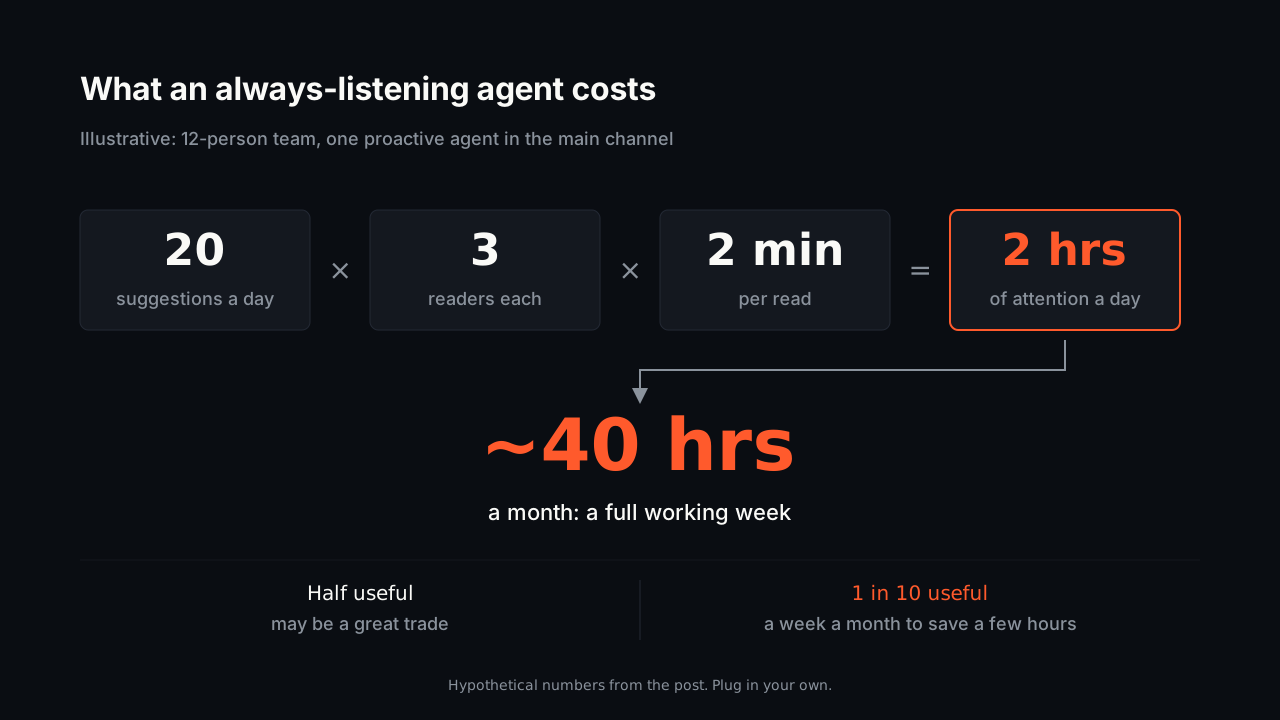
Take a 12-person team with one proactive agent in its main channel. Suppose it posts 20 unprompted suggestions a day, each read by an average of three people for two minutes. That is two hours of engineering attention a day, roughly 40 hours a month, or a full working week.
If half those suggestions lead to something useful, that may be a great trade. If only one in ten does, the agent is costing a week a month to save a few hours. The difference between those two outcomes comes almost entirely from the rules about when the agent may speak, and it shows up in nobody’s dashboard unless you track it.
Where to start
Write down three things before any agent gets channel access: who may ask it for work, what it may do without being asked, and how you will count whether its unprompted actions were worth it. Then put the approval at the plan rather than at each step, and keep its context tight.
Should we try DeepSeek’s Super-Agent?
DeepSeek describes it as research code that is not production ready, and its README tells users to review and adapt the code before running it. It is worth reading for its design ideas, especially the rules-based trigger model. Treat running it on a real team as an experiment.
Are proactive agents a bad idea?
No. An agent that notices a problem before anyone asks can save real time. The risk is in agents that speak more often than they help. The fix is written rules about when they may act, plus a count of how often their unprompted actions were used.
Why not run one agent per repository and let them coordinate?
Current evidence says agents coordinate poorly. CooperBench found about 30% lower success when two agents shared related work, with performance falling further at four agents, and messaging between them did not fix it. Until that changes, humans end up doing the coordination.
Does Coograph add a proactive agent to our chat?
No. Coograph works underneath the agents you already use, such as Claude Code, VS Code Copilot, and Aider. It adds the plan-approval gate, once-per-session warnings, review against the spec, and a code graph that keeps each agent’s context small.
To set up the gate, hooks, and code graph on one repository, follow the getting started guide. If you want help writing trigger and approval rules that fit how your team already works, Coograph Pro is a hands-on engagement built for that.
削減你的 AI 編程帳單 67–78%。Coograph 採用 MIT 授權、永久免費。Pro 提供客製服務。